Half a day for one market analysis report. 30 tabs open just to track competitors. Everyone knows AI can do this now, but the question is which AI to use. OpenAI, Google, and Anthropic have all launched Deep Research. When we asked the same question to all three, their personalities turned out to be completely different.
What Is This?
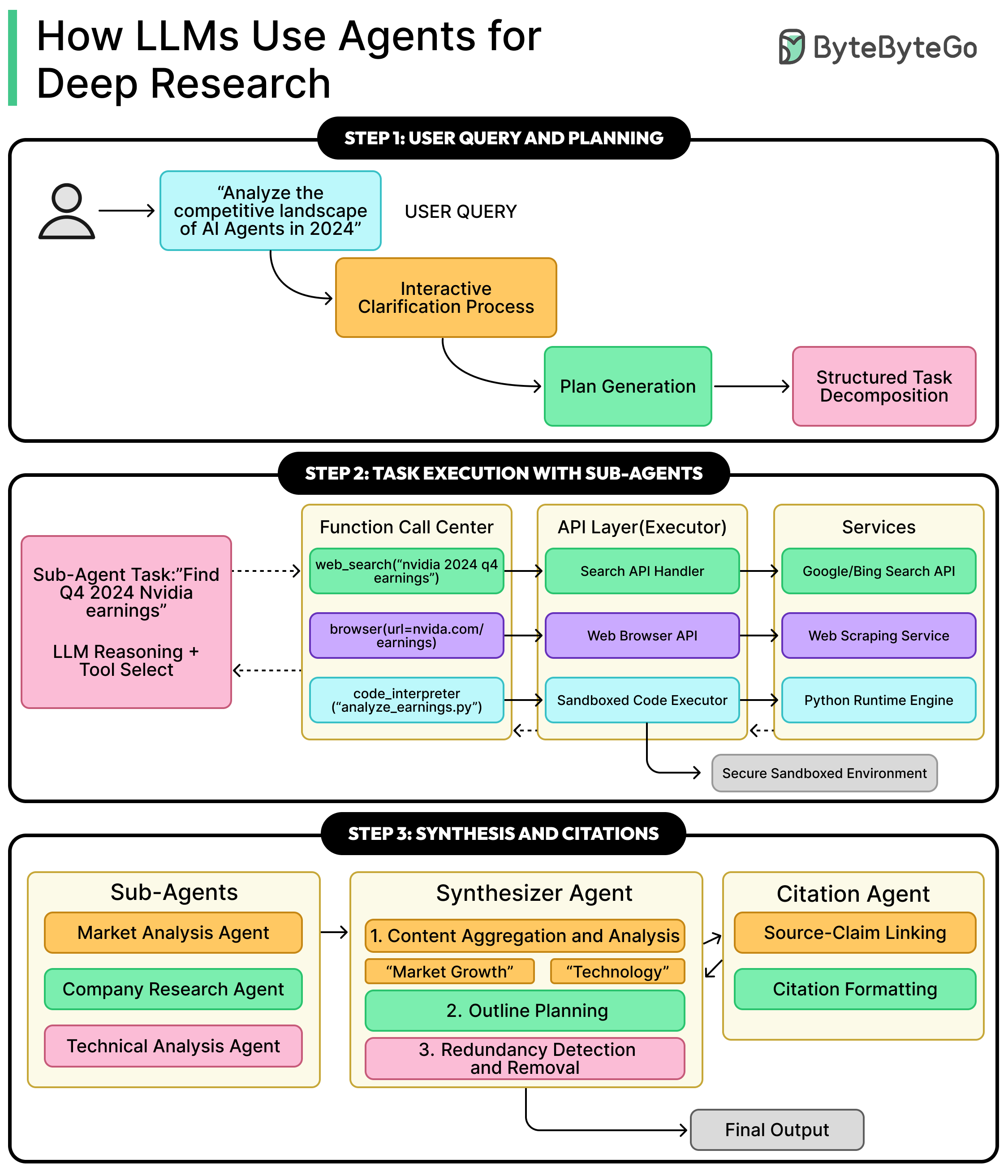
Deep Research is a feature where AI autonomously browses the web, reads dozens to hundreds of sources, and produces cited reports. OpenAI released it first in late 2024, with Google and Anthropic following. The key is that it’s not simple summarization but "multi-step autonomous research" — it searches, reads, identifies gaps, and searches again, repeating the process multiple times.
All three tools take different technical approaches.
What Changes?
They share the name "Deep Research," but in practice they have completely different personalities. Research partner vs data integrator vs source hunter — this isn’t a metaphor, it’s the actual difference.
| Category | OpenAI Deep Research | Gemini Deep Research | Claude Research |
|---|---|---|---|
| Core Model | o3 / o4-mini | Gemini 2.5 Pro | Claude (multi-agent) |
| Approach | Conversational scope narrowing | Autonomous plan → execute | Parallel subagent dispatch |
| Source Coverage | Medium | 62 (in 15 min) | 261 (in 6 min) |
| Speed | Slow (10–30+ min) | Medium (5–15 min) | Fast (6–18 min) |
| Report Style | Long-form (30+ pages) | Long-form + structured | Concise (~5 pages) |
| My Data Integration | File upload only | Gmail, Drive, Chat, Docs | File upload only |
| Mid-Process Control | Real-time direction changes possible | Review plan, then start | Start and wait |
| Export | Copy/download | Direct export to Google Docs | Copy/download |
| Price (monthly) | $20 (Plus) / $200 (Pro) | $19.99 (Advanced) | $20 (Pro) / $100 (Max) |
| Query Limits | 25 (Plus) / 250 (Pro) | Unlimited for Advanced (daily cap) | Within Pro message limits |
Here’s the picture the numbers paint: Claude dominates in source coverage and speed, Gemini leads in data accuracy and ecosystem integration, and OpenAI is unmatched in research process control.
Recommendations by Use Case
When your research direction is still fuzzy → OpenAI (narrows scope through conversation)
When you need to combine your emails/docs with market data → Gemini (Gmail/Drive integration)
When you need to sweep broad sources quickly → Claude (261 sources, 6 min)
When fact-checking and number verification matter → Gemini (highest data accuracy)
When you need a concise, readable report → Claude (5-page key summary)
Hallucination Is a Problem for All Three
Deep Research is still AI, so hallucinations exist. On the DR-50 benchmark, the highest accuracy was just 34%, meaning no tool is perfect yet. Whichever tool you use, always click through to the original source to verify key facts. Deep Research is a starting point, not a conclusion.
The Essentials: How to Get Started
All three tools require paid subscriptions. The most practical approach is to pick the one that fits the AI ecosystem you’re already using.
- If you already use an AI, start there
If you’re on ChatGPT Plus ($20/mo), OpenAI Deep Research is ready to use. Same goes for Gemini Advanced ($19.99/mo) and Claude Pro ($20/mo). Try it with your existing subscription at no extra cost. - For your first research, run a comparison test with the same question
Pick one question from your actual work and submit it to all three simultaneously. Something like "Analyze 5 trends in our industry for 2026 with supporting evidence" will clearly reveal the differences. - OpenAI: Leverage conversational narrowing
Select Deep Research mode in ChatGPT and enter your question. The AI will ask follow-up questions first — the more thoroughly you answer, the better the results. You can also restrict sources mid-way ("only reference this domain"). - Gemini: Enable Gmail/Drive in source settings
Select Deep Research in Gemini Advanced and click the "Sources" button to add Gmail, Drive, and Chat. Combining your data with web data is Gemini’s real killer feature. - Claude: Toggle Research on and ask
Turn on the Research toggle in Claude Pro and multi-agents will explore sources simultaneously. Since it’s fast, it’s great for iterative research with questions rephrased from different angles.