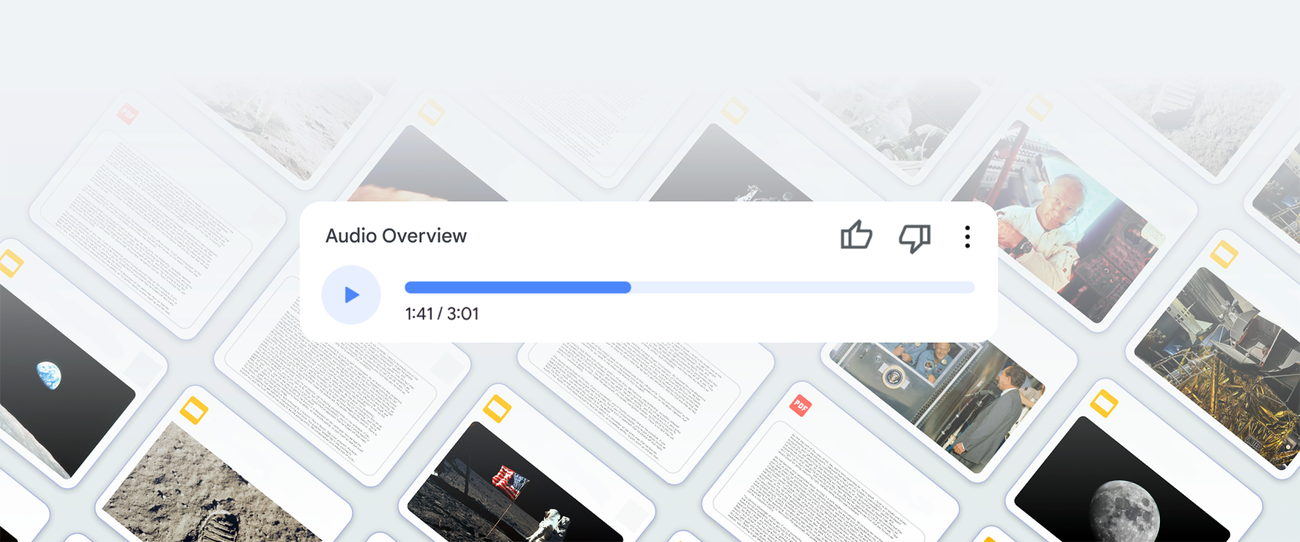
A 30-page PDF report, 10 meeting transcripts, 5 research papers. You need to get through all of them but there's no time. Upload them to NotebookLM, hit one button, and two AI hosts discuss the key points podcast-style. In Korean. For free.
What Is It?
A feature Google added to NotebookLM in September 2024. It's called Audio Overview. Upload your documents and two AI hosts launch into a "deep dive" conversation — but it's not just text-to-speech. One host explains enthusiastically, the other asks questions, cracks jokes, and uses analogies. It genuinely sounds like a real podcast.
It originally only worked in English, but since April 2025 it supports 80+ languages including Korean. Thanks to Gemini 2.5 Pro's native audio capabilities. Just switch the output language to Korean in settings and you're done.
There's not just one format either. You can choose from 4 depending on your goal.
| Format | Description | Best for |
|---|---|---|
| Deep Dive (default) | Two hosts in deep conversation | Research, learning, report comprehension |
| The Brief | One host, 2-minute essentials | Quick briefings, time-crunched situations |
| The Critique | Two hosts give constructive criticism | Essay, proposal, or pitch feedback |
| The Debate | Two hosts argue pros and cons | Exploring multiple perspectives |
In late 2025, Interactive Mode was added. Say "Wait, tell me more about that part" while listening, and the hosts pause, answer your question based on your sources, then pick up where they left off. Passive listening transforms into an active tutoring session.
The most important thing is — NotebookLM only reads the documents you upload. Unlike ChatGPT, it doesn't roam the internet pulling in random information. Because it only draws from your sources, hallucinations are minimal. It even provides inline citations — click one and you jump straight to that passage in the original document.
That's why lawyers, researchers, and consultants — people whose work lives and dies by citations — are especially excited. Devoteam's Charlotte Pletinckx called it "a valuable ally for anyone dealing with vast amounts of documentation."
It's not just Audio Overview — it's the full package
Beyond audio, NotebookLM also generates mind maps, study guides, quizzes, timelines, and even video overviews. Upload one document and you can digest it in multiple formats — it's essentially an "AI knowledge factory."
What's Different?
Until now, your options for digesting a 30-page PDF were predictable. Read it yourself, or throw it at ChatGPT. Both had clear problems.
| Traditional approach | NotebookLM Audio Overview | |
|---|---|---|
| How you consume it | Reading (limited attention span) | Listening (works while commuting, exercising) |
| Accuracy | ChatGPT: mixes in internet info, hallucinations | Based only on your documents, with citations |
| Format | Text summary (still requires reading) | Conversational podcast (naturally absorbed) |
| Interaction | One-way (read only) | Interactive Mode lets you ask questions |
| Sharing | Must write a separate summary | Share link or download instantly |
| Cost | ChatGPT Plus $20/month | Free (Pro ~€20/month) |
The real innovation is the shift from "reading" to "listening." On the subway, at the gym, while doing dishes — time that used to be wasted can now be used to absorb a 30-page report. Devoteam's Khachatur listens to product spec podcasts on his way to sales meetings, and Eray studies for certification exams at the gym.
The business use cases are diverse.
The key takeaway: we're shifting from "the age of reading information" to "the age of listening to information." Industry analysts predict that by 2026, 60% of enterprise learning will be audio-first content.
Good to know
Interactive Mode currently only supports English. Korean audio generation works, but the interrupt-and-ask feature is English-only for now. Also, very long documents may have later sections omitted from the summary — use custom prompts to specify key chapters.
Quick Start Guide
- Access NotebookLM
Sign in with your Google account at notebooklm.google.com. No installation needed — works in your browser. There's a mobile app too. - Create a notebook and upload sources
Create a new notebook and upload PDFs, Google Docs, web URLs, YouTube videos, or audio files. Free tier allows up to 50 sources. - Set output language
In settings (top right), change Output Language to your preferred language. All audio and chat responses will follow. - Generate Audio Overview from Studio panel
"Studio" panel → "Audio Overview" → choose your format (Deep Dive, Brief, Critique, Debate) → Generate. It runs in the background so you can do other work. - Listen, ask questions, share
Play the generated podcast. Use Interactive Mode to ask questions, or download for on-the-go listening. Share with your team via link.